Organisation SSO
Connect your organisation’s directory via OpenID Connect or SAML 2.0. Keep its connection settings, tests and access rules together.
 Microsoft Entra ID
 Okta
 Keycloak
Manage your applications from start to finish with no re-entry
Publish one or more online application and membership forms, collect membership dues at sign-up and track each file in a configurable kanban pipeline, right through to automatic onboarding into eBrigade.
First month of the module free: billed from day 31 only if you keep it, turn it off at any time.
Illustration · sample data
From 501 contacts, your plan includes paid add-ons of your choice: 1 up to 1,000 contacts, 2 up to 1,500, 3 up to 2,000, and so on, up to all of them beyond 30,000. Recruitment can be one of them, if you have never subscribed to it before.See the tiers →
Online applications and memberships with a configurable multi-step funnel: forms for multiple campaigns, document collection, online payment of membership dues (HelloAsso, cheque, cash, bank transfer), SMS and email checks, optional account-based prefill, a kanban pipeline, online appointment booking (candidates choose their slot from your availability) and direct onboarding into eBrigade. It is available as an option, so each organisation can enable it according to its needs.
Without a structured workflow, applications and memberships arrive by email, files are incomplete or lost, and new members are sometimes onboarded before all the mandatory documents have been checked. Membership dues are paid separately, outside any tracking, and those in charge have no overview of the applications in progress or of the reasons for rejection.
The module publishes one or more online application and membership forms (each with its own URL, steps and fields). Candidates fill in the form, attach their documents, can pay their membership dues online (HelloAsso, cheque, cash or bank transfer) and move through a configurable kanban pipeline. Contact details can be verified by SMS or email. Each form can offer optional identification to prefill information, using Google or another configured provider; applicants can still enter everything themselves. Candidates book their own appointment from your availability, and as soon as they are approved the profile is created in eBrigade with no re-entry.
Sign-in and identification has two tabs: Organisation SSO for your directory, and Library for individual sign-in methods and optional identification in forms.
Connect your organisation’s directory via OpenID Connect or SAML 2.0. Keep its connection settings, tests and access rules together.
Microsoft Entra IDOktaKeycloakFind Google and the optional providers in one catalogue. Each card shows its status and a dedicated guide. Optional providers have their own settings. Choose separately how each provider is used at sign-in and in recruitment.
Google stays enabled and locked. The five new providers are disabled by default.
Eight guides in the application: one for SSO, one for the library and one for each provider.

Included for everyone, even without enterprise SSO.
Personal and work accounts.

Sign in with an Apple Account.
Healthcare professionals, via CPS or e-CPS.

Public-sector staff, subject to eligibility.

Individual identity, subject to service approval.
Each application form chooses which methods to offer, including Google. Applicants can always fill in the form manually. Identification never replaces your review of an application.
Publish several application or membership forms in parallel, each with its own URL, steps, fields and options. A form can be paused with a holding message without being deleted.
Collect membership dues at sign-up via HelloAsso (online payment), cheque, cash or bank transfer. Candidates can also add an optional donation and paid options (equipment, extras), configurable per form.
Find Google and configure optional providers in Sign-in and identification › Library: Microsoft, Apple, Pro Santé Connect (e-CPS), ProConnect and FranceConnect. Then choose which ones to offer in each form. Applicants can prefill their information or enter it themselves. New providers are disabled by default; identification does not replace required documents or approval.
Track applications on a kanban board with configurable columns and fine-grained permissions by step and by section. Communicate directly with each candidate through messaging built into their file.
Describe your availability once — “Tuesday and Thursday, 9 am – 12 pm”, a duration, a notice period — and candidates choose their slot from a calendar. They receive a confirmation, a calendar invitation and a reminder the day before, and can cancel via a link; your eBrigade absences are deducted automatically. Downloadable PDF invitation letter, and analysis of rejections by configurable reason.
On acceptance, the member’s profile is created in eBrigade with all the data and documents collected. Candidate lists can be exported to Excel, and candidates can withdraw their application themselves.
Screenshots of the real application, not mock-ups.
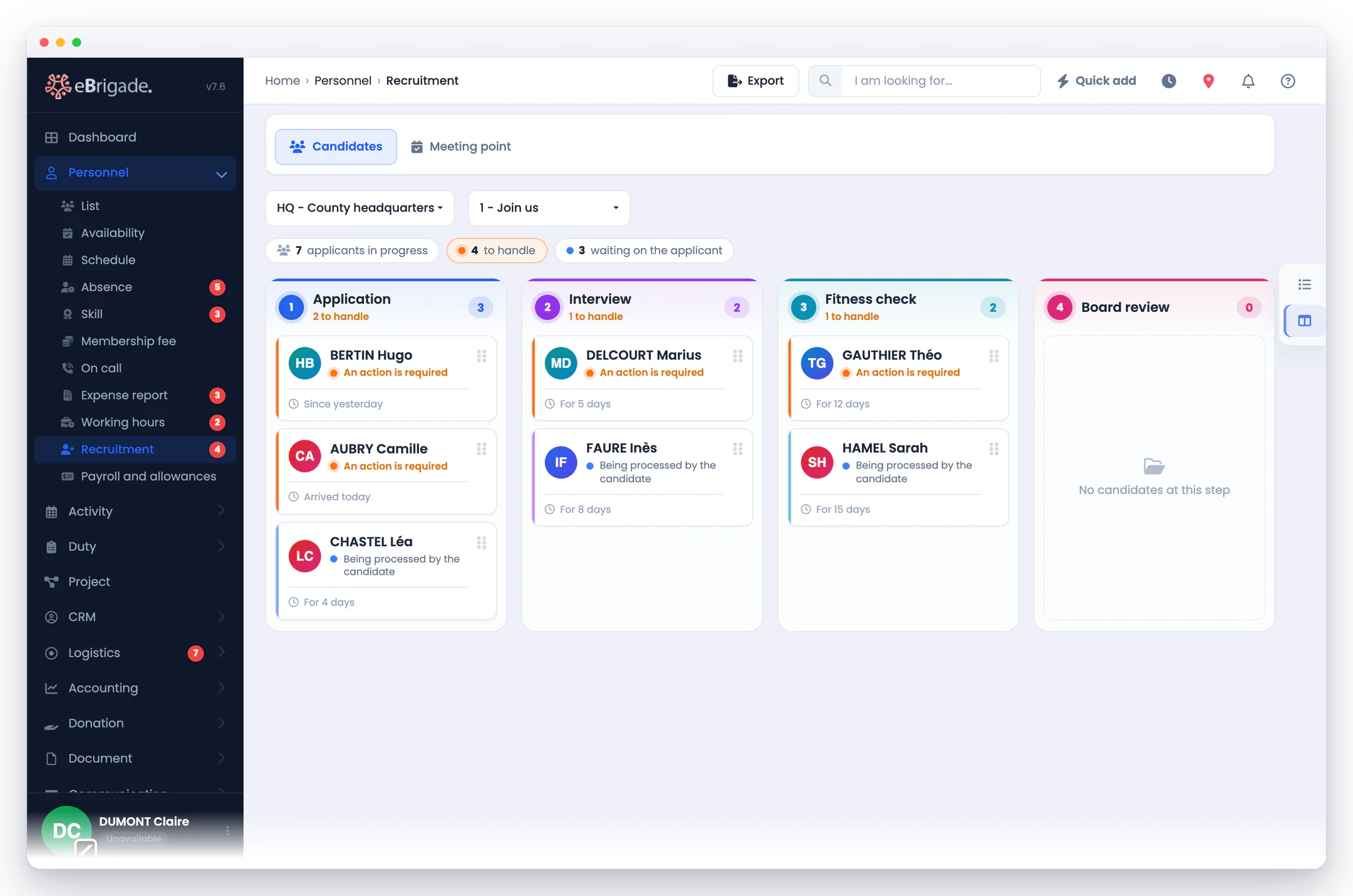
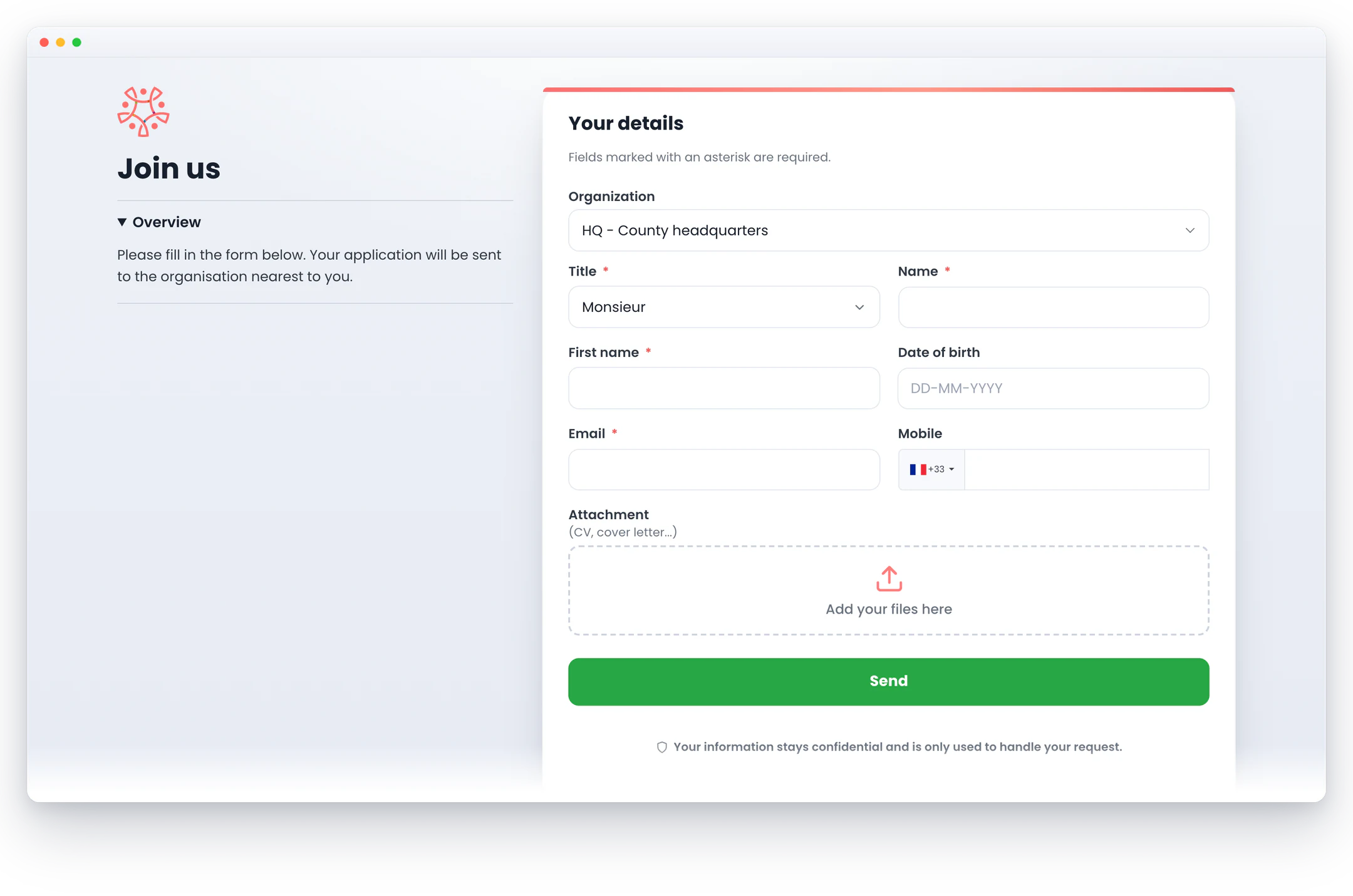
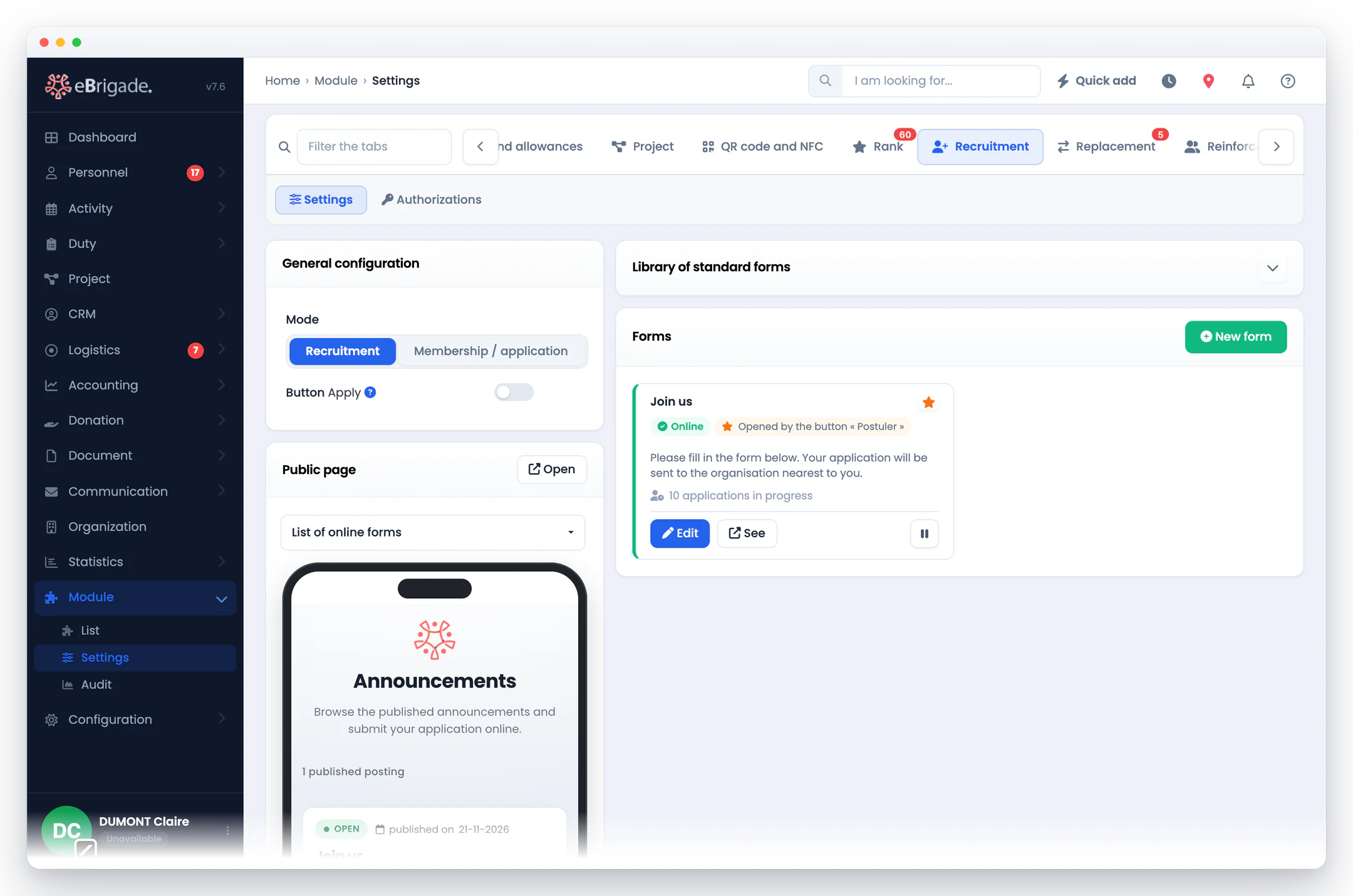
Create one or more application or membership forms (each with its own URL), and configure the pipeline steps, fields, mandatory documents, appointment slots and payment methods for membership dues. Also choose the optional identification methods to offer on each form. Configure any additional identification providers in Sign-in and identification › Library; each has its own setup guide.
Each applicant fills in the public form, attaches documents and can pay membership dues and an optional donation. They can use an offered account to prefill information, or enter it themselves. Configured SMS and email checks still apply.
Each file enters the kanban pipeline and can be assigned by step and by section. Those in charge communicate with candidates through messaging, describe their interview availability — candidates choose their slot — and view rejection statistics by reason.
On approval, eBrigade creates the member’s profile from the data in the file. No double entry, no document lost between steps.
Candidates fill in an online application or membership form. The data entered and the documents attached feed directly into the file in eBrigade, with no double entry by those in charge.
Yes. If the membership dues field is enabled, candidates can pay online via HelloAsso or choose to pay by cheque, cash or bank transfer. An optional donation on top of the membership dues and paid options (equipment, extras) can also be offered on the form.
Yes. Configure providers in Sign-in and identification › Library, then choose the accounts offered in each form: Google, or Microsoft, Apple, Pro Santé Connect (e-CPS), ProConnect and FranceConnect after setup. These new providers are disabled by default and subject to connection requirements. Manual entry remains available, and SMS and email checks and application approval retain their settings.
Yes. You can create several separate forms, each with its own public URL, steps, fields and options. A form can be set as the default, temporarily paused or reactivated to suit your campaigns.
You describe your availability once — “Tuesday and Thursday, 9 am – 12 pm”, a duration, a notice period — and candidates choose their slot from a calendar. They receive a confirmation, a calendar invitation and a reminder the day before, and can cancel via a link. Your eBrigade absences are deducted automatically. A PDF invitation letter remains downloadable, those in charge communicate with candidates through the built-in messaging, and every communication is archived in the file.
No. Google stays included and enabled for everyone at sign-in, even without SSO. Each recruitment form keeps its own choice of whether to offer Google. Other providers are optional and configured in Sign-in and identification › Library, with settings and a dedicated guide for each.